
Introduction
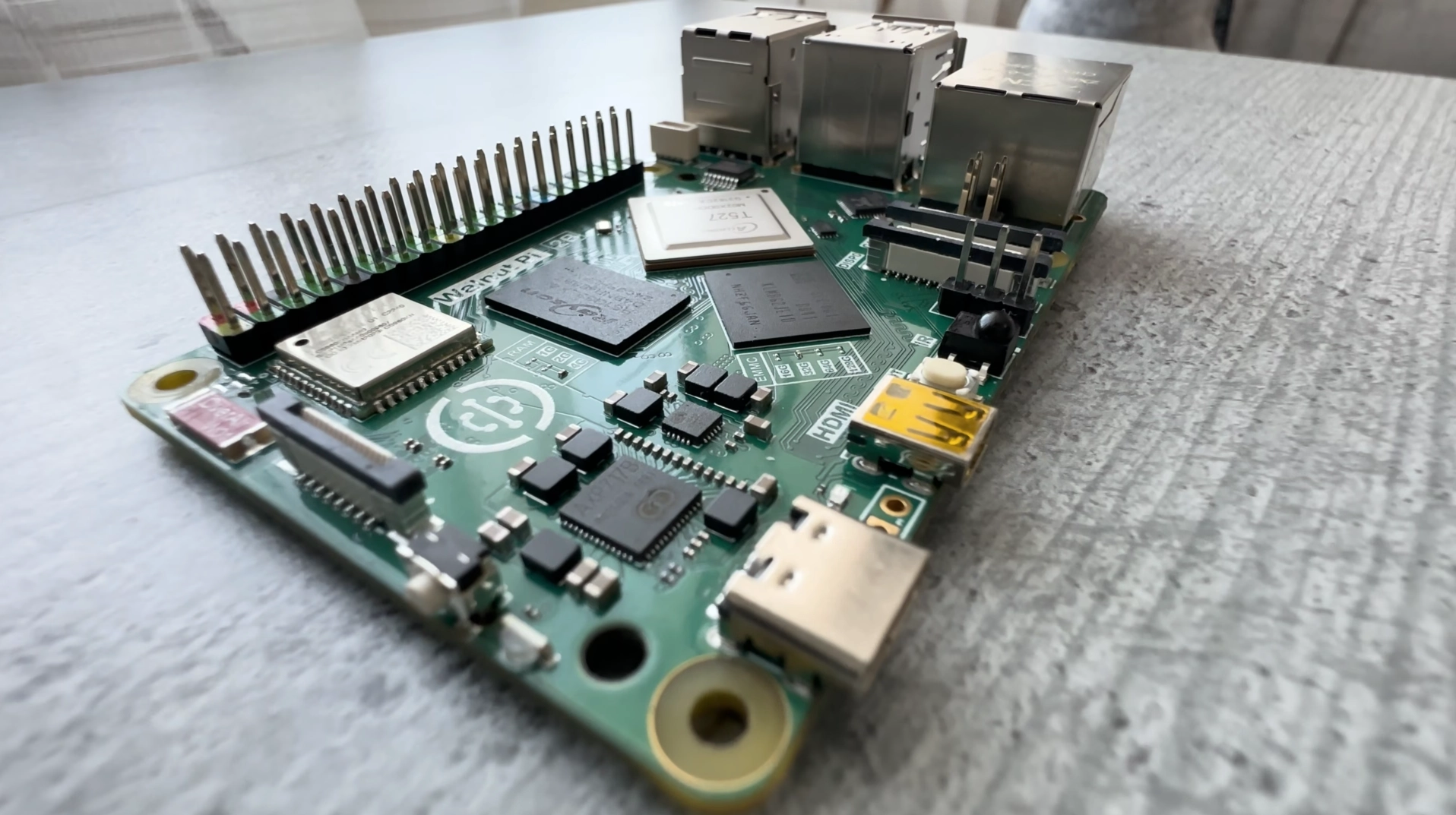
When I call this SBC a clone, I mean the board has the same form factor as Raspberry Pi 5 and aims to be compatible with all the accessories made for it, including PCI Express ones. But it also has its own unique features which at some points make it even better than Raspberry Pi 5, despite being cheaper.
At the moment, it only has 22 orders on AliExpress and a very questionable rating. Even though my last experience with a cheap Raspberry Pi clone wasn’t positive, I didn’t miss the opportunity to take a look at another interesting board from the same ecosystem. The review is completely unbiased, just like the previous one.
Hardware Overview
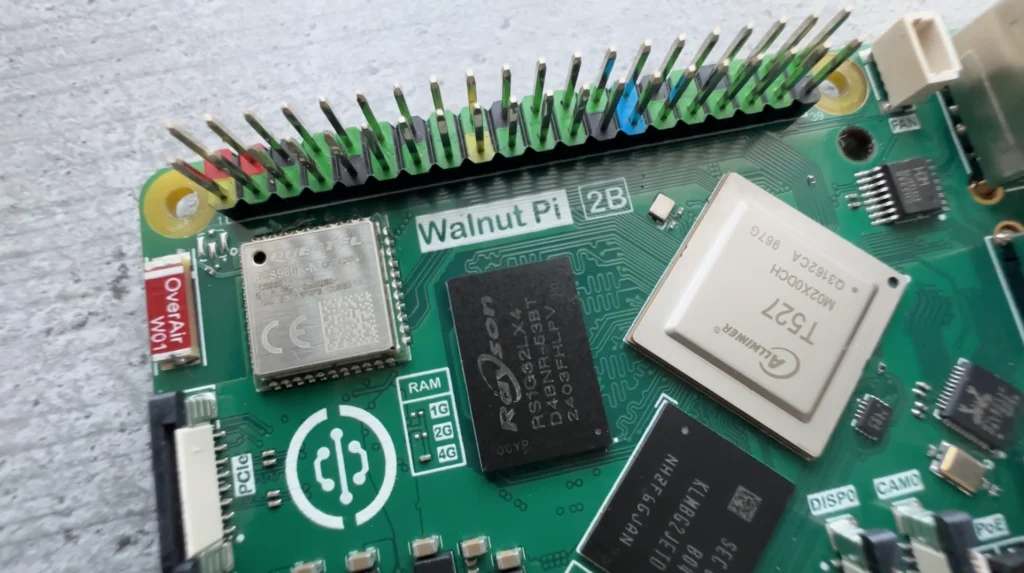
Walnut Pi 2B is powered by the Allwinner T527 octa-core CPU. It is slower than the Broadcom BCM2712 found in Raspberry Pi 5, but performance tests come a bit later.
The T527 also integrates a 2 TOPS INT8 NPU. Yes, it is weak. But if an NPU of such power is enough for your small project, it might replace a whole Google Coral module, which you would buy separately for the original Raspberry Pi and occupy a PCI Express slot. Here, it’s just integrated.
In its maximum configuration, Walnut Pi 2B has 4 GB of LPDDR4 RAM, while Raspberry Pi 5 offers up to 16 GB, of course for a much higher price.
Storage Options
This board also has optional 32 GB of eMMC 5.1. The speed is okay and obviously much faster than an SD card. It’s optional, but I recommend paying an additional $10 for it because a good SD card is slower and wouldn’t cost much cheaper.
Another alternative is an external SSD, but that will take either your USB port or your PCI Express slot, which isn’t always ideal.
Ports and Connectivity
The ports are almost the same as on Raspberry Pi 5.
The differences:
- One less micro HDMI port
- An IR receiver in its place
- One less USB Gen 3 port (it’s Gen 2 here)
Everything else seems to be the same. It has Wi-Fi 6 and Bluetooth 5.4 Quectel module.
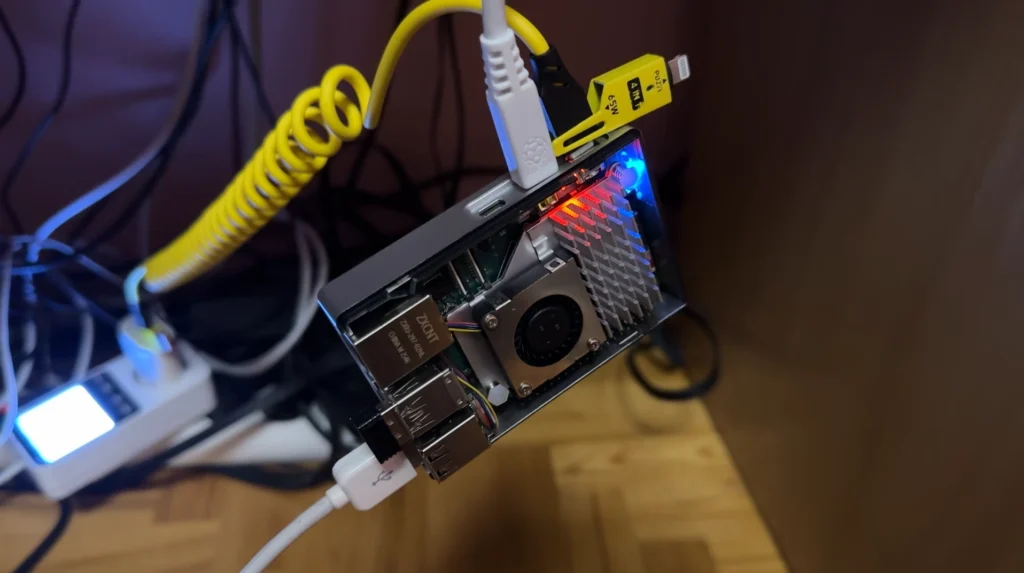
Thanks to the identical form factor, I was able to install a generic, very efficient, and cheap Raspberry Pi 5 cooling system without any issues.
Operating System and Software
Walnut Pi 2B uses its own fork of Debian. There are server and XFCE versions available, and a Home Assistant build is also present.
A lot of people expressed concerns about potential Chinese backdoors. I addressed these concerns to the manufacturer, and they answered that their code is open source on GitHub. Feel free to check. I have no expertise to do so, and I leave this to your consideration.
Personally, I use the official XFCE Debian build, and for now, the image is regularly updated.
One thing worth mentioning is a service called Device Map, which is enabled by default. It uses your IP address to display your location accurately to a city on a publicly available map. You can turn this off by disabling the service as mentioned in the official documentation, but in my opinion, it should be off by default.
Performance and Benchmarks
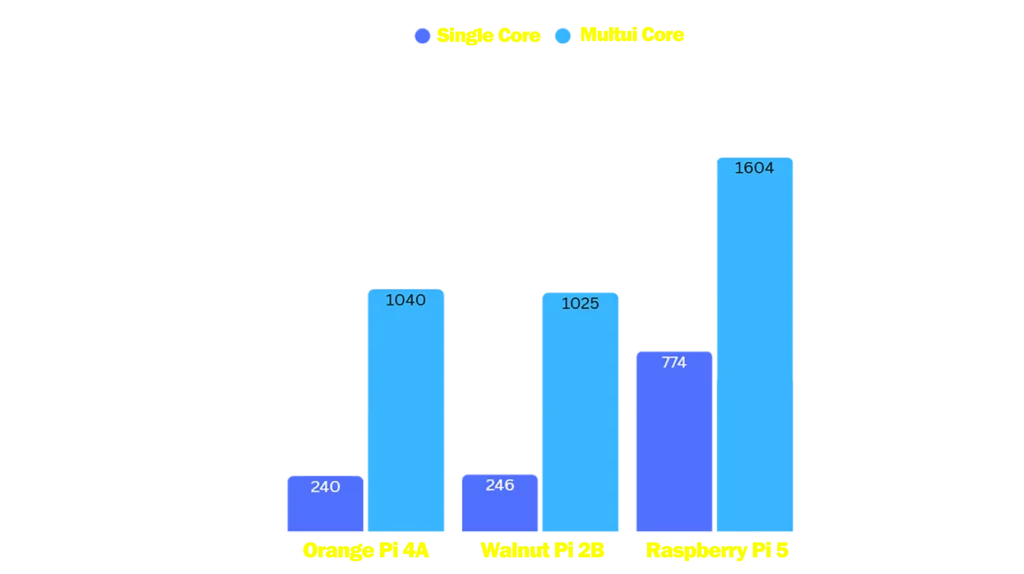
I ran Geekbench 6 and compared the results to Orange Pi 4A with the same T527 CPU and to Raspberry Pi 5.
Orange Pi 4A and Walnut Pi 2B show the same numbers. I want to emphasize this because another SBC from the same brand, Walnut Pi 1B, had much lower numbers than competitors with the same CPU. Here, there are no anomalies with performance.
However, Walnut Pi 2B loses to Raspberry Pi 5 quite significantly, especially in single-core performance.
Power Consumption
One of the positive things here is power consumption. Raspberry Pi 5 consumes much more power and requires an additional 27-watt power supply. Walnut Pi 2B consumes very little power and can be powered even with an old phone charger rated at 5V 2A.
Graphics Performance
The GPU is no match for Raspberry Pi 5. Walnut Pi 2B gets only 116 points in GLMark ES2 at full HD fullscreen. This makes it unsuitable for GPU-heavy workloads or desktop graphics tasks.
Use Cases and Final Thoughts
This board isn’t bad for specific tasks. It’s cheaper, has lower power consumption, and the combination of eMMC storage and integrated NPU makes it more convenient than Raspberry Pi 5 in certain scenarios.
It’s not meant for general-purpose use, but for specific use cases, it can be a better choice. It’s also certainly better in terms of quality than Walnut Pi 1B, which had performance anomalies and issues with video capture. None of those problems are present here.
Raw CPU and GPU power are not that impressive, and some application support might be worse. But that’s true for most SBCs that aren’t from Raspberry Pi. Usually, it isn’t a big issue, but it’s still important to make sure that the project you want to build doesn’t have special requirements.
You can check it’s price here.
Leave a Reply